
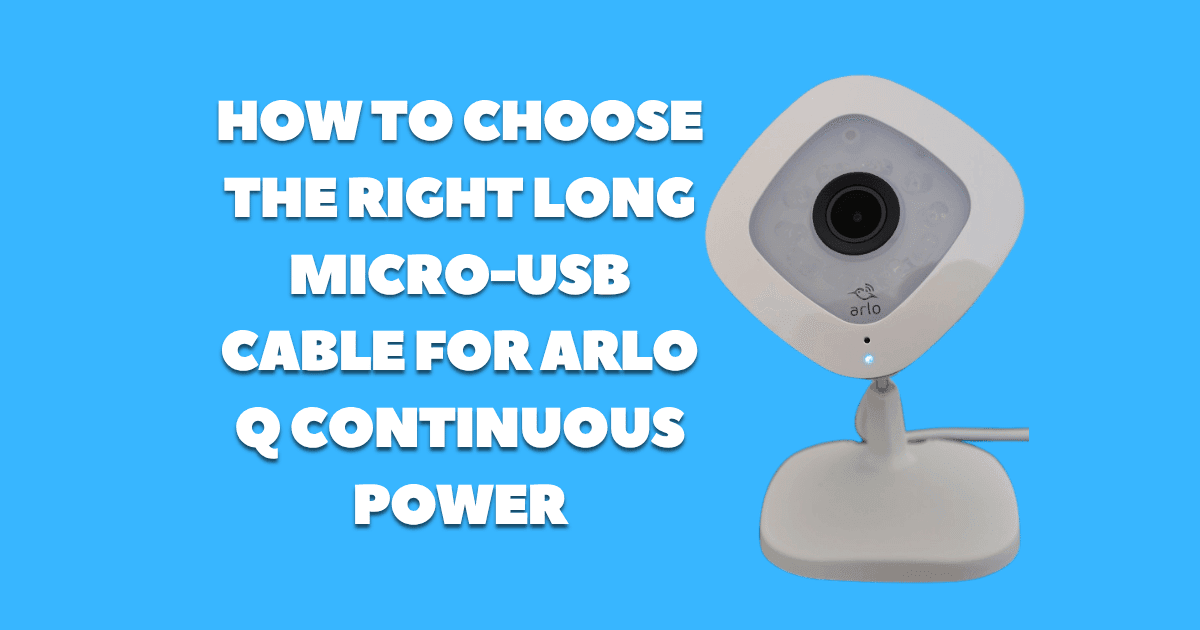
The Arlo Q’s included power cable, approximately six feet of fixed Micro-USB attached to the AC adapter, is adequate for installations where an outlet is within easy reach of the camera’s mounting position, in the real-world indoor deployments where the Arlo Q is most useful (monitoring a living room from a high shelf, covering a garage entry, watching a nursery from across the room), the outlet is rarely that conveniently located. Extended cable runs of 10, 15, or even 25 feet are common, and at these lengths, the cable itself becomes a critical component in the power delivery chain, not just a passive connector.
The failure to understand this is one of the most common sources of Arlo Q operational problems. Users who replace the included cable with a long generic Micro-USB cable from a desk drawer find their Arlo Q rebooting unpredictably, dropping Wi-Fi connectivity, or refusing to record, not because the camera is faulty, but because the cable is delivering insufficient voltage at the camera end. Choosing the right cable eliminates this entire category of problem.
THE PHYSICS OF LONG USB CABLES: WHY LENGTH AND GAUGE MATTER
A Micro-USB cable is an electrical conductor, and all conductors have resistance. This resistance is not a flaw or a quality defect it is a fundamental physical property of conductive material:
- Resistance R = ρ × (L / A)
- Where: ρ = resistivity of the conductor material (copper: 1.68 × 10⁻⁸ Ω·m), L = conductor length, A = conductor cross-sectional area
For a USB cable, this means:
- Longer cables have higher resistance (R increases with L)
- Thinner wire gauges have higher resistance (A decreases with AWG number)
And resistance in the power circuit causes voltage drop:
- V_drop = I × R (Ohm’s Law)
- At the Arlo Q’s peak current draw of approximately 900mA, even modest cable resistance produces significant voltage loss:
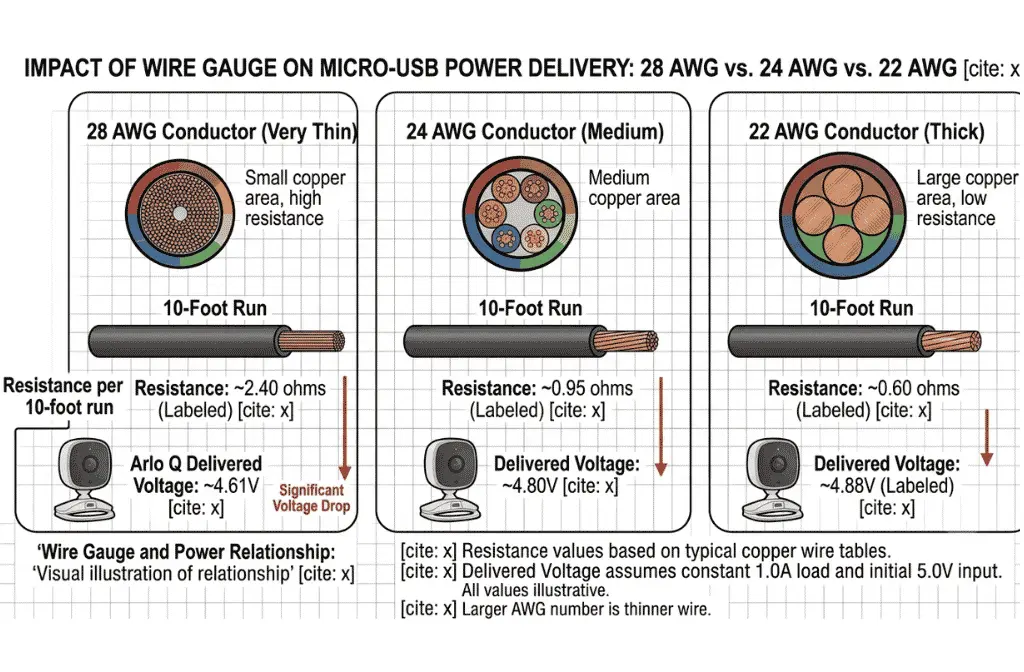
- A 10-foot cable with 28 AWG conductors (total round-trip resistance ≈ 4–5 ohms):
- V_drop = 0.9A × 4.5Ω = 4.05V
- Delivered voltage = 5.0 − 4.05 = 0.95V completely unusable
- A 10-foot cable with 24 AWG conductors (total round-trip resistance ≈ 0.8–1.0 ohms):
- V_drop = 0.9A × 0.9Ω = 0.81V
- Delivered voltage = 5.0 − 0.81 = 4.19V marginal, will cause intermittent failures
- A 10-foot cable with 22 AWG conductors (total round-trip resistance ≈ 0.4–0.5 ohms):
- V_drop = 0.9A × 0.45Ω = 0.41V
- Delivered voltage = 5.0 − 0.41 = 4.59V adequate for stable operation
This analysis explains the dominant failure pattern seen with generic long Micro-USB cables on the Arlo Q: the thin data-sync cables (26–28 AWG) that are included with low-cost Android devices or sold as generic accessories are optimized for data transfer and cost minimization, not for sustained current delivery. They work acceptably for charging a smartphone (which manages power delivery dynamically and tolerates voltage variations), but fail the Arlo Q (which requires continuous, consistent power delivery).
THE AWG SPECIFICATION: WHAT TO LOOK FOR WHEN BUYING
AWG (American Wire Gauge) is the standardized measurement of wire diameter. For USB cables:
28 AWG: Standard data/sync cable wire. Suitable for data transfer and very low current charging (250mA or below). Not suitable for Arlo Q at any length beyond 3 feet.
26 AWG: Marginally improved over 28 AWG. Suitable for Arlo Q at lengths up to approximately 6 feet with a high-quality adapter. Not recommended for installations requiring longer runs.
24 AWG: The minimum recommended gauge for Arlo Q installations up to 10 feet. Provides adequate current delivery with a quality 2A adapter at moderate cable lengths.
22 AWG: Recommended for Arlo Q installations of 10–20 feet. The larger conductor cross-section significantly reduces voltage drop at long cable lengths.
20 AWG: Available in specialty cables. Appropriate for installations beyond 20 feet. Less common in the consumer market.
The critical rule: For every additional 5 feet of cable length above the included 6-foot cable, move one AWG size thicker (lower number) to compensate for the increased resistance.
PRACTICAL LENGTH LIMITS BY AWG AT 5V/2A ADAPTER
The following table shows the maximum recommended cable length for reliable Arlo Q operation at each wire gauge, assuming a quality 5V/2A regulated AC adapter:
Wire Gauge | Max Recommended Length
| 28 AWG | 3 feet (not recommended for extended runs) |
| 26 AWG | 6 feet |
| 24 AWG | 10 feet |
| 22 AWG | 20 feet |
| 20 AWG | 30 feet |
These limits assume the Arlo Q’s peak draw scenario (night vision + active recording + two-way audio simultaneously). Under typical recording conditions without two-way audio, the effective limits extend by approximately 25%.
HOW TO IDENTIFY CABLE GAUGE WITHOUT MANUFACTURER SPECIFICATIONS
Most retail Micro-USB cables do not prominently display their AWG rating. The following methods help identify cable quality when the specification is not listed:
Method 1
Cable diameter: Physically thicker cables generally have thicker conductors. A cable that feels noticeably stiffer and heavier than a typical phone charging cable is likely 22–24 AWG. A flexible, lightweight cable is likely 26–28 AWG.
Method 2
Certification marking: Cables certified for “Fast Charging” or “Quick Charge” are typically 24 AWG or better to handle the higher current of fast charge protocols. This certification correlates with (but does not guarantee) adequate current capacity for the Arlo Q.
Method 3
Resistance testing with a multimeter: Measure resistance from the USB-A pin to the Micro-USB pin on the same conductor (the power conductor, not data). A round-trip resistance below 0.5 ohms for a 10-foot cable indicates adequate gauge. Above 1.5 ohms indicates a cable that will cause voltage problems.
Method 4
Vendor specification: Cables sold specifically for security camera or continuous power applications (rather than smartphone charging or data sync) typically specify their AWG rating explicitly in product descriptions.
THE AC ADAPTER PAIRING: HOW CABLE AND ADAPTER INTERACT
A longer, higher-gauge cable reduces the voltage drop in the cable, but the AC adapter at the other end must also deliver adequate voltage under load. These two components must both be adequate a thick, low-resistance cable connected to a cheap, unregulated 5V/500mA adapter will still deliver insufficient power to the Arlo Q at peak demand.
The correct pairing for extended Arlo Q installations:
Adapter: Regulated 5V/2A (10W) minimum
Cable: 22 AWG or better, appropriate length for the installation
Why 2A adapter rather than 1A for extended cable installations:
A 2A adapter has twice the current delivery capacity of the 1A included adapter. At equal current draw, a 2A adapter’s output voltage remains more stable under load because the adapter’s internal components are operating well below their maximum capacity, reducing output impedance and maintaining regulated voltage more consistently.
The complete power specifications and adapter requirements for the Arlo Q, including the included adapter specifications, are detailed in the companion guide Arlo Q Power Specifications: Voltage, Amperage, and AC Adapter Requirements.
CABLE MANAGEMENT CONSIDERATIONS FOR LONG RUNS
Beyond electrical performance, physical cable routing affects installation quality and camera stability:
Strain relief at the camera: The Micro-USB port on the Arlo Q’s base is the mechanically weakest point in the cable run. A cable that hangs straight down from the port creates a bending stress that, over time, can damage the port’s internal solder connections. Route the cable so it exits the port at a gentle angle (not a sharp 90-degree bend) and support the cable at a point close to the camera body to relieve port stress.
Wall-mounted cable routing: Use adhesive cable clips rated for the cable’s outer diameter to route the cable along wall edges, door frames, or baseboards. This keeps the cable tidy, prevents trip hazards, and avoids the cable hanging free across a visible area.
Conduit: For permanent installations where cable aesthetics matter, a surface-mounted mini-conduit (J-channel or D-line style) provides a clean, professional appearance for the cable run.