
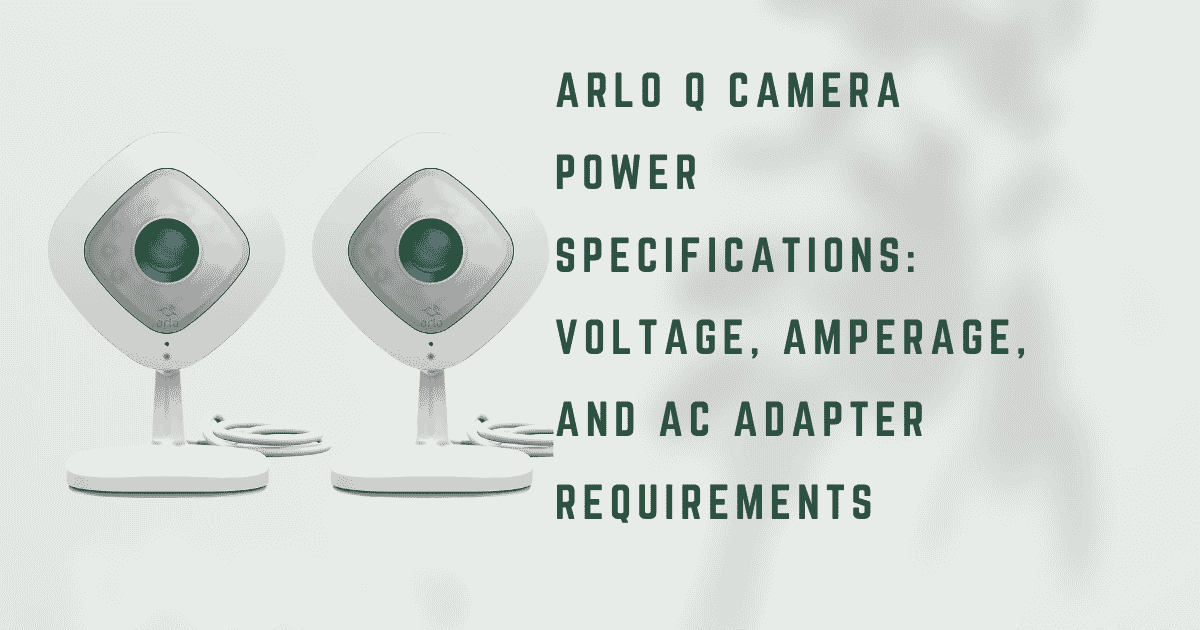
The Arlo Q is a continuously powered indoor security camera, unlike the battery-operated Arlo Pro or Arlo Go cameras. It has no internal rechargeable battery and cannot operate without a continuous AC power connection. This design choice reflects the Arlo Q’s intended deployment: as a fixed indoor camera providing 24/7 continuous video recording (CVR) capability, the device was built to be plugged in permanently rather than charged periodically. Every functional characteristic of the Arlo Q its continuous recording capability, its always-on Wi-Fi connectivity, and its two-way audio responsiveness, depends on the stability and adequacy of its power supply. When the power supply is inadequate, the failures are systematic and predictable: the camera reboots spontaneously, drops Wi-Fi connectivity, refuses to record, or fails to power on at all.
Understanding the Arlo Q’s precise power specifications, not just “it needs USB power” but the specific voltage, minimum current, wattage requirements, and cable characteristics that determine reliable operation, is the technical foundation for correct installation and for diagnosing the majority of Arlo Q operational failures.
ARLO Q POWER SPECIFICATIONS
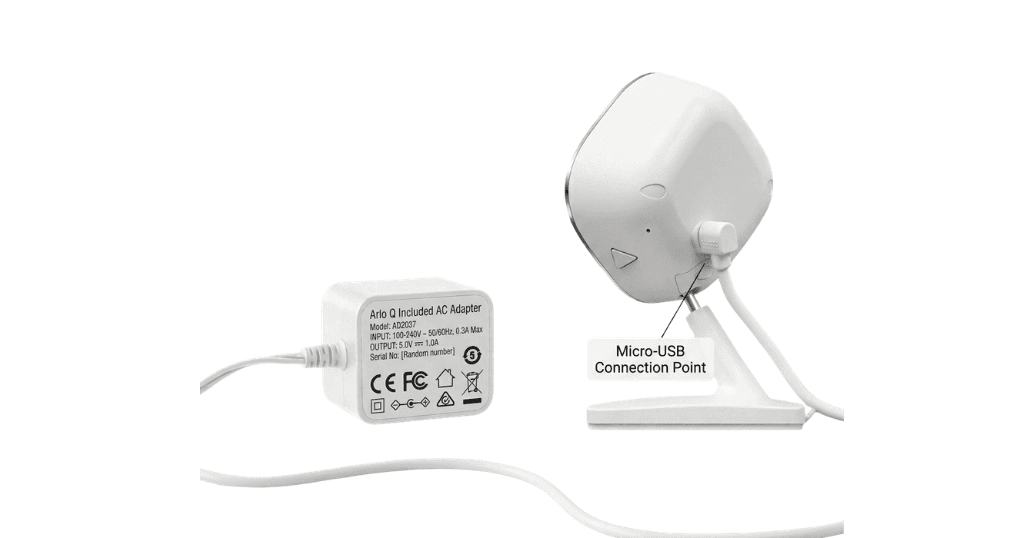
The Arlo Q’s power requirements are defined at the device’s Micro-USB input port:
- Input voltage: 5V DC
- Input current (minimum for reliable operation): 1.0A (1000mA)
- Input current (recommended): 1.5A–2.0A (1500–2000mA)
- Maximum rated wattage: approximately 5W (5V × 1.0A)
- Power connector: Micro-USB Type B (the standard Micro-USB found on most Android devices from the 2012–2017 era)
The included AC adapter in the Arlo Q retail package:
- Output voltage: 5V DC
- Output current: 1.0A (1000mA)
- Total output power: 5W
- Connector: Micro-USB, fixed cable (not detachable in most variants)
- Cable length: approximately 6 feet (1.8 meters)
The 5V/1A specification represents the minimum threshold for stable operation. Unlike a smartphone charger, where a brief drop in current delivery causes only a momentary slowdown, the Arlo Q’s continuous recording and live streaming functions are latency-sensitive: a brief current insufficiency causes the camera’s processor to reduce clock speed, drop Wi-Fi transmission power, or trigger a protective restart, each of which appears as an operational failure to the user.
WHY CURRENT RATING IS MORE CRITICAL THAN VOLTAGE FOR THE ARLO Q
The Arlo Q’s 5V power requirement is essentially fixed any USB AC adapter producing 5V (the universal USB standard output) satisfies the voltage requirement. The critical variable is current capacity: how many amperes the adapter can deliver continuously without voltage sag.
Power consumption breakdown during Arlo Q operation
The Arlo Q draws different current amounts during different operational states:
- Standby (Wi-Fi connected, not recording): approximately 200–350mA
- Active recording (1080p video encoding, Wi-Fi transmission): approximately 600–800mA
- Night vision active (IR LEDs at full power): additional 100–200mA above active recording
- Two-way audio active (speaker at audible volume): additional 150–250mA
Peak instantaneous draw: approximately 900-1100mA during simultaneous night vision recording with two-way audio
This consumption profile explains why a 5V/500mA adapter (common in legacy phone chargers and cheap USB adapters) fails with the Arlo Q: the 500mA capacity is exceeded during normal active recording, causing the adapter’s output voltage to sag below 4.75V, the threshold below which the Arlo Q’s power management circuit initiates a protective shutdown/restart sequence.
THE ROLE OF CABLE RESISTANCE IN POWER DELIVERY
The power specification at the AC adapter output (5V/1A) is not the same as the power specification at the Arlo Q’s input port, because the Micro-USB cable itself has electrical resistance that causes a voltage drop proportional to the current flowing through it.
Ohm’s Law applied to USB cable resistance:
If a Micro-USB cable has a total conductor resistance of 2 ohms (reasonable for a thin, long cable), and the Arlo Q draws 800mA:
Voltage drop = I × R = 0.8A × 2Ω = 1.6V
This means 1.6V is lost in the cable, and the Arlo Q receives only 5.0 − 1.6 = 3.4V — far below the 4.75V minimum for stable operation.
Cable resistance is determined by:
Wire gauge (AWG): Lower AWG number = thicker wire = lower resistance. A 28 AWG data-only USB cable has approximately 10× the resistance of a 24 AWG charging cable.
Cable length: Resistance is proportional to length. A 10-foot cable has twice the resistance of a 5-foot cable with the same wire gauge.
Connector quality: Oxidized or corroded connectors add contact resistance.
For the Arlo Q’s installation requirements, which often involve cable runs of 6–15 feet to reach an outlet from the camera’s optimal mounting position, cable selection is as critical as adapter selection. The specific cable selection guidance for extended Arlo Q installations is covered in detail in the companion guide, How to Choose the Right Long Micro-USB Cable for Arlo Q Continuous Power.
SYMPTOMS OF INADEQUATE POWER DELIVERY
The following symptoms have a direct causal relationship with insufficient power delivery and are frequently misdiagnosed as Wi-Fi, firmware, or hardware problems:
Random reboots during active recording
The most common power-undersupply symptom. The camera completes a thermal/current protection restart when peak draw exceeds the adapter/cable’s delivery capacity.
Solid amber LED with no response
The Arlo Q’s LED status system uses solid amber to indicate a boot or startup error state. Inadequate power during the startup sequence a period of high current demand as the processor initializes, prevents the device from completing its boot cycle.
Wi-Fi connection drops without router changes
The Arlo Q’s Wi-Fi transmitter requires consistent power for the radio frequency amplifier stage. Voltage sag under load causes the RF amplifier to underperform, reducing transmitted signal strength and causing the router to drop the connection.
Failure to power on at all
The power management IC requires a minimum voltage to begin initialization. A severely undersized adapter or a very long, thin cable may not deliver the required minimum, even at idle.
REPLACEMENT ADAPTER SPECIFICATIONS
When the included AC adapter fails or when a replacement is needed for an extended cable installation, the correct specifications for a replacement adapter are:
Output voltage: 5V DC (regulated)
Output current: Minimum 1.5A; recommended 2.0A. The margin above the 1.0A minimum provides headroom for peak current draws without voltage sag
Connector: Micro-USB Type B (standard Micro-USB, not USB-C, not Mini-USB)
Regulation quality: “Regulated” output cheap unregulated adapters may label 5V but output 5.5–6V at low load and sag to 4V under load; regulated adapters maintain 5V ± 0.25V across their full current range
Recommended adapter certifications: UL, CE, or FCC listing confirming the adapter has been independently tested for safety and output accuracy
CONTINUOUS POWER CONSUMPTION AND ANNUAL ENERGY COST
At the Arlo Q’s average operational draw of approximately 4W (5V × 800mA weighted average across recording and idle):
Daily energy consumption: 4W × 24h = 96Wh = 0.096 kWh
Monthly energy consumption: 0.096 × 30 = 2.88 kWh
Annual energy consumption: approximately 35 kWh
Annual electricity cost at $0.13/kWh US average: approximately $4.55/year
The Arlo Q is an exceptionally low-power-consumption device for continuous 24/7 operation. Its annual operating cost is negligible in household energy budget terms.